Tuesday, April 21, 2015

Chrome 42 on Mac

One of our customers has found that Chrome on a Mac (OS 10.10.2) did not respond to the Silverlight plug-in instructions discussed here http://mosaicvivarium.blogspot.com/2015/04/chrome-42.html

However, this same customer found a solution using the Chrome app shown below.

Meanwhile, we’re continuing our transition completely away from Silverlight.


Screen Shot 2015-04-17 at 7 57 54 PM

Wednesday, April 15, 2015

Chrome 42

Chrome (and Firefox) are phasing out support for “NPAPI” plug-ins.  This includes things like Apple QuickTime, but most importantly for Mosaic users, Microsoft Silverlight.

With version 42 Chrome will act like Silverlight is not installed:
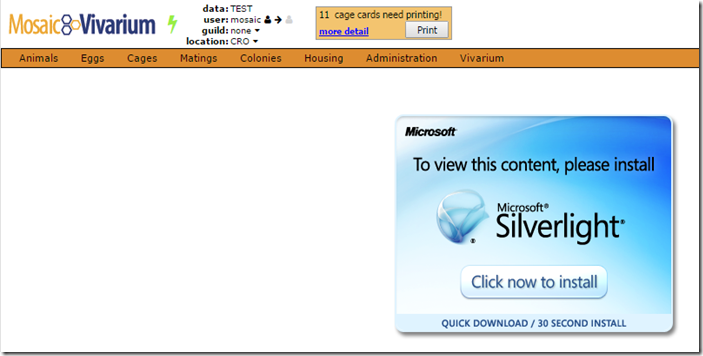
image

To correct this enter

chrome://flags/#enable-npapi

in your browser address bar and locate the setting shown below.  Press “Enable”:

image

Now the link will read “Disable” and a “Relaunch Now” button will appear at the bottom of your screen.  Press it:

image

Cage-side Assistant Silverlight functionality will be restored.

You can read more details here: http://www.chromium.org/developers/npapi-deprecation

In particular, read the April 2015 section:  Google is making it “more difficult to navigate, as a means of discouraging NPAPI use by developers.”

The Mosaic team is making progress with the pure-web version of the Cage-side Assistant and expects to meet the September 2015 deadline for loss of browser support for Silverlight.

Additional reference: https://support.microsoft.com/en-us/kb/3058254/

Thursday, January 29, 2015

Known Issue: Chrome / Silverlight

The latest versions of Chrome now require users to authorize Silverlight to run.  By following the guide below you can eliminate repeated requests for authorization:

ChromeSilverlight

Friday, September 26, 2014

Known Issue: Magic Scrolling in Chrome 37.0

If you are using Chrome around version 37, such as this version:

image

you may find that wide worksheets in Mosaic (those with a horizontal scrollbar at the bottom of the grid) will slowly scroll themselves back to the left.  This has just started with the introduction of recent versions of Chrome.  We are working on a fix.

Meanwhile, we’ve also identified that this behavior does not occur if the browser is set at 100% zoom.  You can check your zoom using the menu in the upper right:

image

Adjusting back to 100% seems to eliminate the unwanted scrolling.

Friday, April 18, 2014

Heartbleed Vulnerability

Mosaic Vivarium does not use the open source “OpenSSL” package and is therefore not vulnerable to the Heartbleed exploit.  Mosaic Vivarium servers (either hosted by us or at our customers’ facilities) use Microsoft web servers with Microsoft’s implementation of SSL.

Monday, February 24, 2014

Known Issue: Intermittent Error Messages, Especially with Chrome version 33+

You may sometimes see an error dialog:

image

If you click on Details you then see “breeze error: Error: Illegal construction – use ‘or’ to combine checks”:

image

This happens mostly when you first login and seems especially prevalent with the latest version of Chrome, version 33.

The message is a nuisance that poses no problems for your data:  simply refresh the web page.  We apologize for the inconvenience.

We are working hard to find the cause and fix it.

Cage Card Printing with Chrome version 33+

During a recent update to Chrome, Google introduced a built-in PDF viewer.  Unfortunately, this does not have the control needed to properly print cage cards.  There is a simple procedure to restore the previous behavior using Adobe Reader:

In the Chrome address bar, type chrome://plugins

clip_image002

Find a section that looks like this:

image

Disable the Chrome PDF Viewer and Enable the Adobe Reader so the settings look like this:

image

Done.

Note – there are always security considerations with browser plugins.  Adobe Reader is widely used and from a trusted author.  Nevertheless, you should take care to install recommended security updates for Adobe Reader as they become available.